Luna Budgeting App vs. EveryDollar: Manual Flexibility or a Zero-Based System?
A current comparison of two focused budgeting experiences, including method, setup, features, and pricing.
Chris Raroque
About 10 min read
Published

Quick answer: Luna Budgeting App is the better starting point for an iPhone user who wants a focused manual routine and likes seeing weekly and monthly category limits together. EveryDollar is the stronger fit for someone who wants a formal zero-based monthly budget, a permanent free manual tier, household access, or paid bank connections and planning tools. The products overlap, but they organize the budget around different rhythms.
Disclosure: I built Luna, and this comparison appears on Luna’s site. Product facts were checked against official documentation on August 23, 2026. This draft does not claim a fresh hands-on test. EveryDollar’s free and Premium features, international availability, and price should be rechecked immediately before publication.
At a glance
Question | Luna | EveryDollar |
|---|---|---|
Core planning style | Manual spending categories with weekly and monthly targets | Zero-based monthly planning |
Free ongoing tier | No current free plan is listed | Free manual tier is listed |
Trial | Public Luna pages conflict between 14 and 30 days; needs correction | Official page lists a 14-day Premium trial |
Bank connections | No current automatic transaction or balance import | Premium includes bank connection features |
Weekly categories | Documented | Not the main planning model |
Household access | Requires product verification | Official page lists household budgeting |
Export | Luna pricing mentions export, but the workflow needs documentation | Premium lists CSV export |
Platform/region | Designed for iPhone | Web and mobile scope varies; help documentation says app and Premium availability are region-limited |
The table compares documented product scope, not which app will improve a person’s finances.
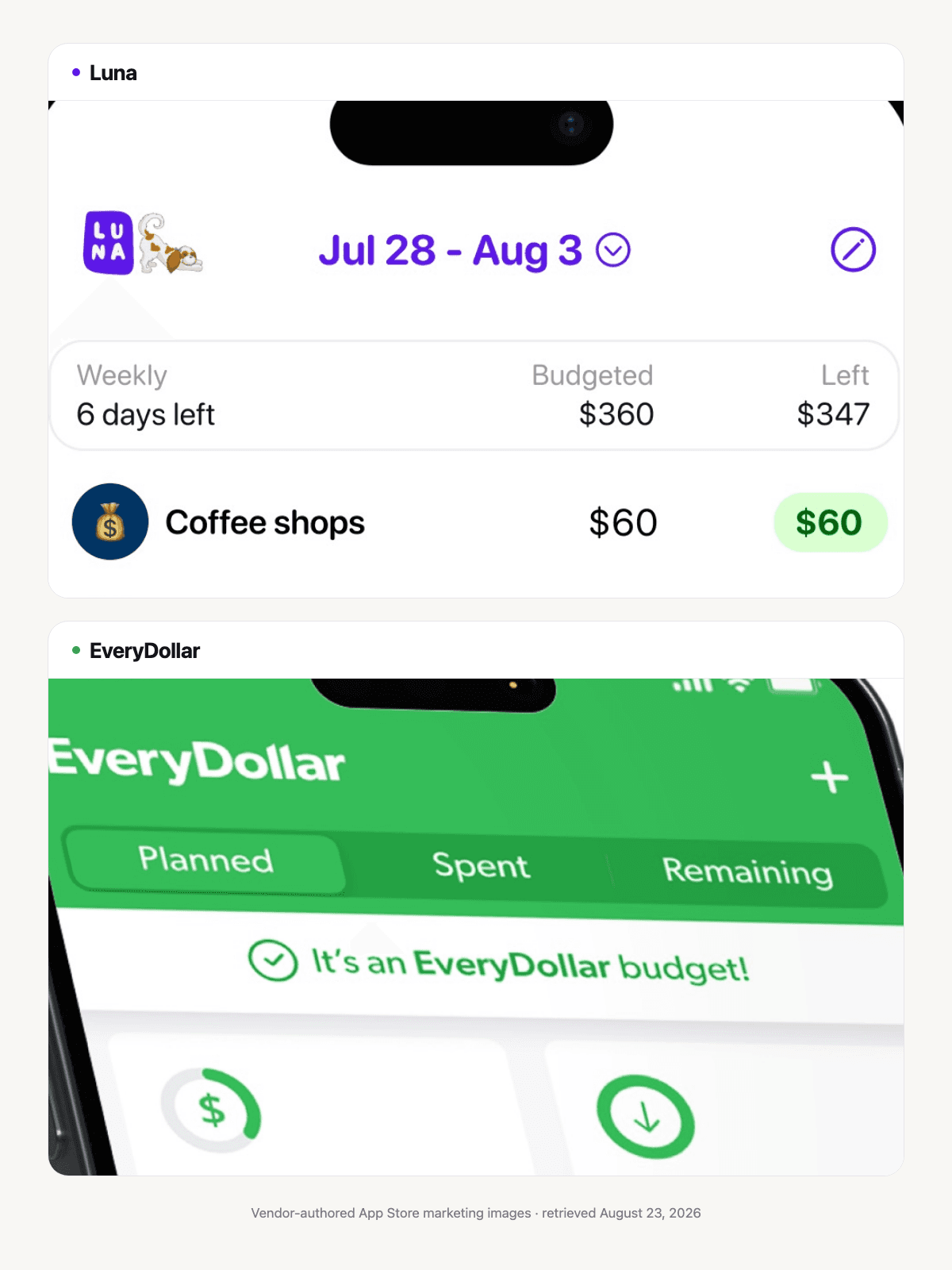
Vendor-authored App Store marketing images, retrieved August 23, 2026. They show visible interface differences only, not a hands-on usability test or proof of pricing, imports, household access, or outcomes.
The main difference: planning every dollar or watching category pace
EveryDollar is built around a zero-based monthly plan. You enter expected income and assign it across expenses, savings, giving, and debt until planned income minus planned outflow reaches zero. “Zero” describes the plan, not an empty bank account.
Luna is built around manual categories and spending awareness. Its documentation says you can create weekly and monthly budget targets, track income and savings, and turn budgeting off if you only want expense tracking. It does not show a native unassigned-money control or a requirement to make the full plan equal zero.
You can approximate a zero-based plan with Luna categories, but that is a user-created adaptation. If the method itself matters, read Zero-Based Budgeting on iPhone before comparing apps.
What the free experience changes
EveryDollar’s current official product page describes a free version with manual transaction entry, customizable budget categories, and savings funds. That makes it a lower-risk way to test the method over several months.
Premium adds bank connections, reports, CSV export, paycheck planning, and longer-term tools according to the same page. Keep free and Premium features separated in any comparison; a feature available after a trial is not a free feature.
Luna does not currently list a permanent free plan. Its pricing page lists a subscription and lifetime purchase. The page’s trial length conflicts with its own FAQ and App Store language, so this draft intentionally does not state one verified trial duration.
Manual entry in both apps
Luna is manual by design. Its account guide says it does not automatically pull transactions or balances. Users record spending and can make a manual adjustment when the app balance no longer matches real life.
EveryDollar’s free workflow also supports manual transaction creation and tracking. Ramsey’s manual transaction guide documents the process.
The practical difference is what happens around the entry. In Luna, a purchase changes a weekly or monthly category’s remaining amount. In EveryDollar, the transaction belongs inside a broader zero-based monthly plan. Premium users can add bank connections to reduce capture work, but imported data still deserves review.
Manual entry does not guarantee accuracy or awareness. Automatic import does not guarantee correct categorization. Choose the failure mode you are more willing to manage: missed entries or imported records that need review.
Weekly and monthly rhythm
Luna’s budgeting guide explicitly supports weekly and monthly categories together. This is useful when rent belongs to the month but dining out needs a shorter boundary.
EveryDollar’s central plan is monthly. Its Premium Paycheck Planning guide documents weekly and biweekly expense schedules and a Safe to Spend view for pacing money between paychecks. That can solve a weekly cash-flow problem, but it is not the same as giving selected categories independent weekly limits or resets.
If your biggest problem is using a monthly flexible-spending category too early, Luna’s shorter category rhythm may be a better fit. If your biggest problem is deciding what all income should do before the month begins, EveryDollar’s zero-based structure may be more useful.
A worked example: $3,800 of take-home income
Alex plans $3,800 for the month:
Job for the money | Planned amount |
|---|---|
Housing and utilities | $1,650 |
Transportation | $420 |
Food | $650 |
Debt payments | $350 |
Savings | $400 |
Giving | $80 |
Personal and household | $250 |
Total assigned | $3,800 |
In EveryDollar, this is the core plan. Alex keeps assigning categories until the planned difference reaches zero, then records transactions and adjusts the budget when reality changes.
In Luna, Alex can create monthly categories for housing, utilities, debt, and savings, then convert selected flexible categories to weekly targets. A $260 monthly dining component could become an average $60 per week using monthly × 12 ÷ 52. Luna will not natively prove that the entire $3,800 has been assigned; Alex must maintain that arithmetic separately.
EveryDollar is clearer for the complete zero-based calculation. Luna is more direct for the weekly spending check.
Bank connections and data questions
EveryDollar Premium supports bank connections. Before enabling any connected-finance feature, check:
which data is accessed;
which aggregator is involved;
whether access is read-only;
how often accounts are queried;
how to revoke access;
what previously collected data remains after disconnection.
The CFPB recommends similar questions in its consumer data-sharing guidance.
Luna’s absence of bank import does not mean no data collection. Its privacy policy documents cloud storage and analytics. Read What to Ask Before You Connect Your Bank for a neutral checklist.
Household, devices, and region
EveryDollar’s current product page lists household budgeting. Its help center also says the mobile app and Premium are not available internationally, while the free web version remains available. This is a change-sensitive claim: verify the reader’s country, current app-store listing, and plan before publication.
Luna is currently designed for iPhone. Its household sharing behavior needs written product verification. A focused solo workflow can be an advantage; it is not a substitute for collaboration when two people need one plan.
Pricing
EveryDollar’s current subscription-cost page lists $17.99 per month or $79.99 per year after a 14-day trial. Promotions and app-store billing may differ.
Luna lists $4.99 per month and $149.99 lifetime on its pricing page; its App Store also lists an annual option. Because Luna’s public trial language conflicts, trial length is a product-review blocker rather than a comparison advantage.
Compare the cost of the tier that contains the features you need. EveryDollar Free versus Luna paid is a different decision from EveryDollar Premium versus Luna.
Choose Luna if…
you want one manual iPhone routine;
weekly category limits are important;
you want a smaller product surface;
you do not need bank import, a documented free tier, or a verified household workflow.
Choose EveryDollar if…
you want a formal zero-based monthly plan;
you need a free manual tier;
household access is important;
Premium bank connections, reports, CSV export, or paycheck tools justify the price;
it is available in your region and on the devices you need.
Who should choose something else
Choose YNAB or another allocation tool if you want a broader cross-device method with optional manual, file, and bank imports. Choose Goodbudget if named digital envelopes and household sharing are central. Choose a spreadsheet or paper worksheet if you want complete control without a subscription and will maintain the formulas yourself.
Start with Manual Budgeting App if bank connection is the deciding constraint.
Frequently asked questions
Is EveryDollar free?
EveryDollar currently lists an ongoing free manual tier. Premium features—including bank connections and several planning/reporting tools—require a paid subscription after the trial. Verify the current plan page and region.
Is Luna a zero-based budget app?
Luna can be adapted with income, spending, and savings categories, but its documentation does not show a native “assign until zero remains” workflow. EveryDollar is more explicitly built around that method.
Can EveryDollar be used without linking a bank?
Yes. Official documentation describes manual transaction tracking in the free workflow. Bank connections are part of Premium.
Which is better for weekly budgeting?
Luna explicitly documents weekly categories beside monthly ones. EveryDollar is primarily a monthly zero-based system. A paper or spreadsheet weekly planner is another option.
Related guides
Sources and limitations
Checked August 23, 2026. Luna facts come from its budgeting, account tracking, pricing, privacy, and US App Store listing. EveryDollar facts come from its official product page, manual transaction guide, Paycheck Planning guide, and subscription-cost page. This is a documented-feature comparison, not a fresh device test. Region, price, tier boundaries, Luna trial language, export, and sharing require pre-publication review.
See plans before you choose
Choose the Luna plan that fits.
Compare monthly, annual, and lifetime options. Confirm the current trial and purchase terms on your device.


