Zero-Based Budgeting: A Practical Guide to Giving Every Dollar a Job
Learn how a zero-based budget works, see a complete worked example, and decide whether to use an app, spreadsheet, or simpler alternative.
Chris Raroque
About 10 min read
Published

Payday arrives, the bills are covered, and there is still money sitting in checking. Without a plan, that remainder can quietly become “available to spend.” A zero-based budget gives it a purpose before the month makes the decision for you.
The short answer
Zero-based budgeting means assigning all the money in your plan to spending, saving, giving, or debt repayment until the unassigned amount is zero. It does not mean spending your bank account down to $0. Savings, next month’s bills, and an emergency fund are all valid jobs for money.
The method works best for someone who wants an active plan and is willing to adjust it as income and expenses change. It can feel unnecessarily detailed if your finances are stable and a few broad guardrails already keep you on track.
Disclosure: I built Luna, a manual budgeting app. Luna can support a zero-based-inspired workflow through income, spending, and savings categories, but its public guide does not document a native “assign every dollar” or balance-to-zero system. Any Luna workflow in this guide is an adaptation, not a claim that the app enforces the method for you.
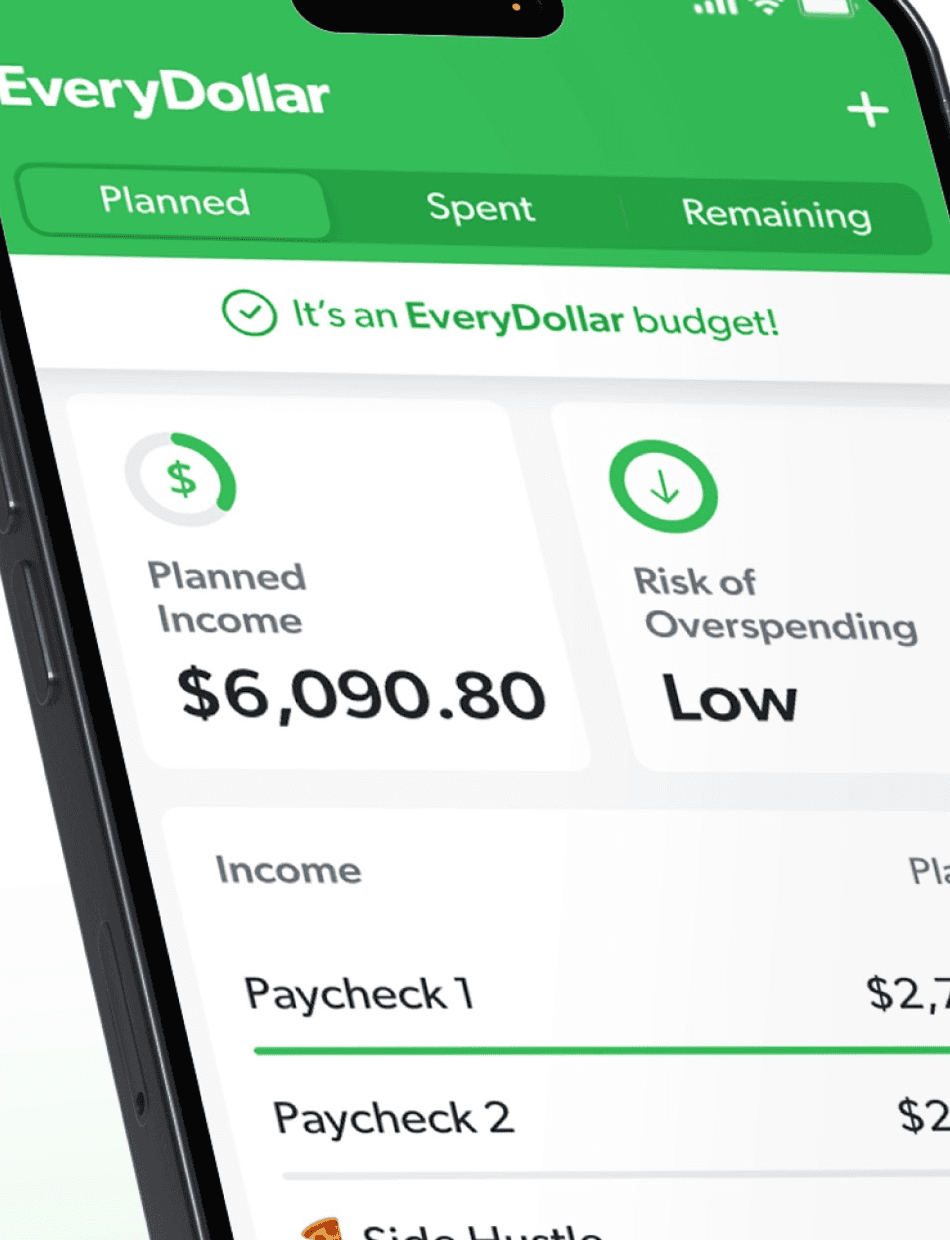
Vendor-authored EveryDollar App Store marketing image, retrieved August 23, 2026. It shows visible zero-based planning language and interface structure only; it does not prove pricing, account imports, ease of use, or outcomes.
What “zero” actually refers to
The core equation is simple:
Planned income or available money − planned jobs for that money = $0 unassigned
The word planned is doing important work. If you assign $600 to savings, you still have $600. It simply has a job. If you reserve $250 for next month’s insurance bill, that money remains in your account even though it is no longer available for an unrelated purchase.
Two popular versions use slightly different starting points:
Plan the month’s expected income. Ramsey’s zero-based budget instructions frame the method as income minus expenses equaling zero and include saving and giving among those planned expenses.
Assign only money you already have. YNAB’s “only budget what you have” explanation tells users to give every dollar a job and emphasizes assigning money currently available rather than budgeting dollars that have not arrived yet.
Both approaches aim to remove the vague, unassigned remainder. The second is more conservative when income is irregular or a paycheck is uncertain because it does not ask future money to pay today’s bills.
Zero-based budgeting is not the same as starting over every month
You do not need to erase every category on the first day. A car-repair fund can build for several months. A vacation category can hold money across the year. What returns to zero is the amount without a job—not every category balance.
This is also different from a zero-based budget used inside a business, where departments may justify expenses from scratch. Personal zero-based budgeting usually means assigning household money, not defending every line item to a finance committee.
A complete worked example
Suppose take-home income for the month is $4,500. Here is one plan:
Job | Planned amount |
|---|---|
Rent | $1,600 |
Utilities and phone | $250 |
Groceries | $520 |
Transportation | $350 |
Insurance | $200 |
Debt repayment | $400 |
Emergency savings | $600 |
Dining out | $240 |
Personal spending | $140 |
Household and miscellaneous | $200 |
Total assigned | $4,500 |
Unassigned | $0 |
The plan does not say this household must spend $200 on miscellaneous purchases. It says that up to $200 has been reserved for that job. If only $80 is needed, the other $120 can move to debt, savings, next month’s rent, or another priority.
What happens when the plan changes?
Halfway through the month, the electric bill is $70 higher than expected. There are at least three honest responses:
Move $70 from Household and Miscellaneous to Utilities.
Reduce Dining Out by $70.
Use $70 from a category intentionally built for irregular costs.
What you should not do is silently let Utilities exceed the plan while still treating every other category as fully available. Moving money is not failing at zero-based budgeting. It is the mechanism that keeps the plan truthful.
If income rises by $150 from a freelance payment, assign that $150 too. It could go to taxes, debt, savings, or near-term spending. The equation returns to zero unassigned.
How to build your first zero-based budget
1. Choose what money is safe to plan
If pay is predictable, you may start with expected take-home income for the coming month. If it varies, start with money already received and add each payment when it arrives.
Do not include a hoped-for bonus, a reimbursement that has not landed, or an available credit-card limit. Credit is not income.
2. List obligations before preferences
Start with housing, utilities, food, transportation, insurance, required debt payments, and any known commitments. The federal Consumer.gov budget worksheet provides a plain checklist if you are worried about forgetting a category.
Then add savings, extra debt repayment, giving, and flexible spending. Treat savings as a real job, not whatever happens to survive at the end.
3. Include irregular expenses
Annual insurance, holiday travel, gifts, car repairs, and medical costs are not surprising just because they are not monthly. Divide a known annual cost by the months remaining.
If car insurance is $720 due in six months, reserve $120 per month. That turns a future bill into a current job.
4. Assign the remainder deliberately
Subtract every planned job from the money you are planning. If $340 remains, the budget is not finished. Assign it to a priority—even if that priority is “next month’s buffer.”
If the result is negative, the plan is promising more than the available money can do. Reduce flexible categories, delay a nonessential goal, or revisit the income assumption. Zero-based budgeting makes the conflict visible; it does not solve the conflict by itself.
5. Check the plan during the month
A budget reviewed only after the month is a report. Look at the relevant category before a flexible purchase, then make a deliberate tradeoff if reality changes.
Weekly limits can make this easier for groceries, dining, and personal spending. The guide to weekly versus monthly budgeting explains when each rhythm helps.
How to adapt zero-based budgeting in Luna
Luna documents income tracking, weekly and monthly spending categories, and savings categories. Those pieces can hold parts of a zero-based plan, but Luna’s public documentation does not show a native unassigned-money calculation.
A cautious workflow is:
Write the month’s available or expected income at the top of a note or spreadsheet.
Build Luna categories for the jobs you want to monitor.
Include savings and debt goals in the written assignment, not just spending categories.
Confirm outside Luna that all jobs add up to the money being planned.
Record transactions manually and adjust categories when the plan changes.
In the $4,500 example, Luna can display the category targets and remaining spending. The final arithmetic—proving that income minus every assignment equals zero—should remain in a spreadsheet or note unless and until Luna documents native support.
That extra step may be perfectly acceptable for someone who wants Luna’s focused iPhone experience. It is not the best choice for someone who wants the software to enforce the complete method.
Choosing a tool
Tool | Strongest fit | Main tradeoff |
|---|---|---|
Paper or spreadsheet | Full control, custom math, no subscription required | More setup and maintenance |
Luna adaptation | Manual iPhone tracking with weekly and monthly category visibility | No documented native assign-to-zero workflow |
A purpose-built give-every-dollar-a-job system with extensive education | More method and product to learn; paid after its trial | |
A zero-based monthly budget framed around Ramsey’s method | Compare current free/premium limits and bank features before choosing | |
Simple spending cap | Someone who only needs one or two guardrails | Does not assign the entire plan |
The right choice depends on whether you want the method to be enforced, merely represented, or kept deliberately simple. If native method support matters, compare Luna versus YNAB and Luna versus EveryDollar before adapting a general category app.
Common mistakes
Confusing a zero plan with a zero balance
Do not drain checking just to make the method look complete. The money for next month’s rent and emergency savings still exists; it is assigned.
Budgeting income before it is reliable
A plan based on money that never arrives creates false confidence. With variable income, assign what is available and prioritize the next obligations.
Treating category targets as permission to spend
An assigned amount is a maximum or purpose, not a command. Money left over can move to a more important job.
Refusing to change the plan
The first estimate will be wrong somewhere. Update it openly. A revised budget that matches real life is more useful than a perfect-looking plan built on stale numbers.
Creating too many tiny categories
The method requires every dollar to have a job, not every store to have its own category. Start broad enough that maintenance is realistic.
Is zero-based budgeting right for you?
It tends to fit people who:
Want a clear plan for savings, debt, and irregular expenses.
Often wonder where the leftover money went.
Can spend ten to twenty minutes planning and a few minutes reviewing each week.
Are comfortable moving money between categories without treating it as failure.
A simpler method may fit better if income comfortably exceeds obligations, savings are already automated, and a few spending limits solve the actual problem. The manual budgeting app guide can help you design that lighter workflow.
Frequently asked questions
Does zero-based budgeting mean my bank balance should be zero?
No. It means the amount without an assigned job is zero. Money assigned to savings, future bills, or an emergency fund remains in your accounts.
Must a zero-based budget be monthly?
No. A monthly plan is common, but the essential rule is that the money in scope has explicit jobs. You can assign each paycheck when it arrives, review weekly, and still keep longer-term jobs such as insurance or savings intact.
Can a buffer be one of the jobs?
Yes. “Next month,” “income buffer,” or “unexpected essentials” is a valid job as long as the money is deliberately reserved and not also counted as available for today’s spending. A buffer does not break the method; it makes uncertainty visible.
Does Luna have native zero-based budgeting?
Luna’s current public guide documents income, spending, and savings categories, but it does not document a native unassigned-money total or an enforced assign-to-zero workflow. Luna can be adapted to support the plan while the final calculation lives in a note or spreadsheet.
Sources and limitations
Checked August 23, 2026. Methods and product features can change.
Method definitions: YNAB’s only-budget-what-you-have explanation and pricing page, Ramsey’s zero-based budget guide, EveryDollar’s product page, and the federal Consumer.gov budget worksheet.
Luna capabilities: income tracking, budgeting, and savings categories.
YNAB and Ramsey teach related but not identical operating versions of zero-based budgeting. This guide names that difference instead of presenting one branded method as universal. The Luna workflow is an adaptation based on documented components; it is not native zero-based functionality verified in Luna’s public guide.
Try Luna on iPhone
Make the next transaction intentional.
Luna is available for iPhone. Start with a focused manual budget and decide whether the habit fits.


